Back From TLA in Austin

For those who don’t already know, I am in fact a real life librarian, and I sometimes do librarian things like attend professional conferences. It has been my privilege for the last several years (pandemic lockdowns and social distancing notwithstanding) to attend the Texas Library Association conference, the latest of which was just held in Austin. These conferences consist of panels and presentations put on by other librarians across the state, social gatherings, and opportunities to get to know and reconnect with other librarians in a professional setting.

This year’s conference was pretty special to me, for a couple of reasons.

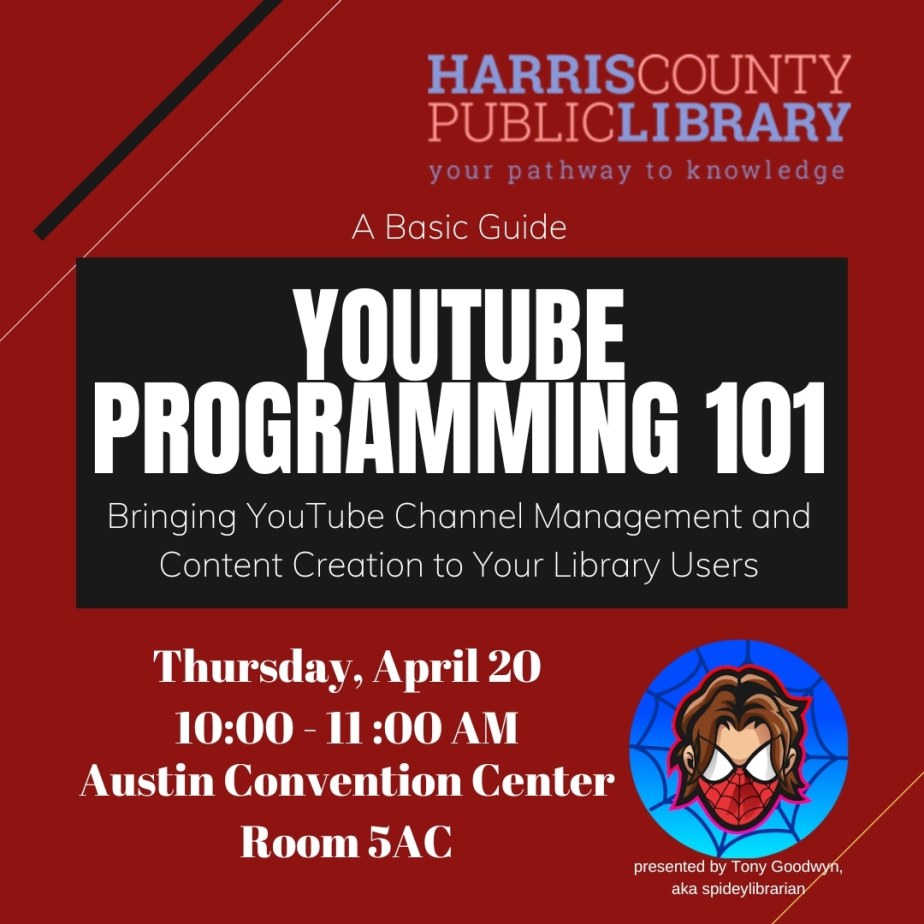
First and foremost, I got to present my own session at TLA for the first time this year. It was a 60-minute talk on bringing YouTube channel management programming to library users, and it brought in between 30 and 40 audience members. In it, I basically discussed the merits of bringing content creation programs to the library, the benefits they could bring to library patrons, and some best practices for doing so. I also talked about my own passion for content creation, and how managing a YouTube channel has benefited myself in the last couple of years. I enjoyed myself immensely, and would love to do similar such talks at TLA in the future. This also marks the first time I’ve come to TLA as a contributor in some way as opposed to simply consuming the content that’s there, which I think is fairly significant.

Me with Brittney Morris, one of the writers for Marvel’s Spider-Man 2!

Second, I got to meet one of the writers for Marvel’s Spider-Man 2, Brittney Morris. I didn’t even realize one of the young adult authors on the panel I was attending also wrote for the game I’m most looking forward to playing this year! I went and met her after the panel, and while she couldn’t tell me about the game, she did say she was impressed with how much heart and effort everyone working on it was pouring into its development, and that she thought it was going to be a real treat to players when it’s released. I was impressed to meet her, and went to her signing line and got a copy of her book, The Jump, signed. I’ll be reading it in the near future.

Yes, THIS GAME!

Aside from those occurrences, it was just nice to walk the exhibits hall, see former and current co-workers in a more relaxed setting, and just be around a bustling convention style atmosphere. I always enjoy going to events like this, and hope to get to more of them in the future. Unfortunately, I’m sure PAX South is dead, but I suppose there’s always Comicpalooza in Houston later this year.

We’ll see… 🙂
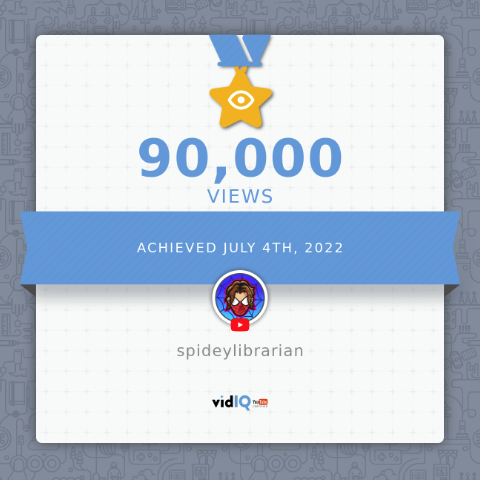
We Hit 90K Views Today! Happy 4th of July!

Hey everyone! The image below says it all!

I’ve been working seriously on my channel for about a year now, and each of these milestones reminds me of how far I’ve come in that time. I’m looking forward to continuing my growth, and developing as a content creator, streamer, and writer. Thanks to all of you who come to my streams, engage with me, watch my videos, and generally support my creative endeavors for being an active part of this journey. I couldn’t do it without you!

I’m not generally a huge celebrator of many holidays, but it appears this July 4th I’ve got something to celebrate!

Moon Knight Reaction (non-stream) Is Up!

It always takes me a little longer than I’d like, but I finally got my reaction to the new Moon Knight trailer posted to my channel. While I may not be able to respond as quickly to content like this as the YouTube content creators who are doing this for their livelihood, I’m nevertheless happy to be able to make content like this in my spare time and work my regular, full-time job. I can even (slowly) invest in my channel by occasionally purchasing equipment and watching the odd YouTube channel creator video on work time, since I’m actually teaching (a VERY rudimentary) YouTube basics for content creators program at the library.

Getting back to Moon Knight: while he’s not the most well-known Marvel character, Moon Knight definitely has a small but hardcore cult following among Marvel fans. My understanding is that he’s Marvel’s answer to Batman, but with several significant twists, including lunar mysticism and the presence of dissociative identity disorder (DID) that plagues Marc Spector, Moon Knight’s alter ego. He’s fairly “street-level” in terms of his power set, to my limited knowledge, but we’ll see how true that is when the show comes out on March 30.

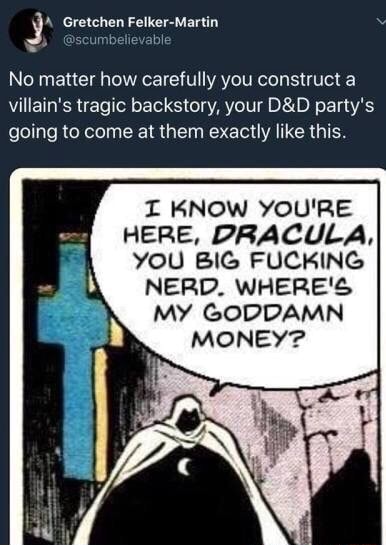
Moon Knight is also the subject of a really funny meme that may be (until possibly now or very soon after, at least) the main source of his reach among casual audiences. I know it made me laugh out loud the first time I saw it.

And that’s pretty much all I know about him. The show will feature Oscar Isaac in the title role, along with Ethan Hawke as someone who appears to be the show’s main antagonist. Both of those actors are amazing, and I’m eager to see how they bring these Marvel characters to life, and hopefully make Moon Knight and his world a compelling and intriguing addition to the Marvel Cinematic Universe. Come March 30, we’ll certainly find out!

Here’s the link to my trailer reaction. Enjoy!

Maker Monday: EmulationStation and RetroArch on Windows

I love my video games.  I can waste all kinds of time playing them, from old Atari to the (semi-) latest and greatest on the PS4 or Steam.  But lately, I’ve been trending towards the older stuff, and it’s actually led to some productive projects on my part.

I suppose it’s the truth about science and technology (and motivation): the enterprising slob will work hard now in order than he can be lazy later.

mqdefaultOne such project, which I just finished a few hours ago, involved running EmulationStation, a slick front-end navigation software that lets you glide between emulators you can run on your computer, on Windows.  Of course, emulation aggregators still being fairly new to me, I didn’t realize that was all it did until shortly before getting everything to work.  Fortunately, the searching I did led me to a YouTuber’s wonderful instruction video, which also showed me how to get RetroArch, which is what runs and manages the various emulators one may try to use while trying to play all those games of old.

In the past, running emulators was fairly easy, as you were often doing it one emulator at a time.  You could find an emulator for, say, the Atari 2600, download it, then download the ROMs (aka game files) for that system.  Once all that was done, you would run the Atari emulator, then use it to open the ROMs and play the games.  It was simple enough that I could do it with little effort.

And you can still do it that way if you want.  But as the number of legacy gaming systems grows larger and larger as the years wear on, having an all-in-one approach can be nice if you want to play on more than one system.  RetroPie, for example basically runs EmulationStation and RetroArch together, specifically for Linux and Raspberry Pi users, and it’s great.

6mlcyt1I wanted a similar experience, but for Windows instead.  That way I could put the full power of my PC behind the gaming, and run some of the more robust systems.  In this day and age, I knew it would be more than capable of running any of the systems RetroArch supports.


Now, in order to get this newer experience, some of the same old basics still apply.  You’re finding the software, downloading it, and getting the ROMs and loading them when needed.  But you’re going to end up doing some configuring on your own, and that can get a little scary at first.  As best I can remember, the list of tasks went something like this:

  1. Download the EmulationStation installer, and run it.
  2. Open the software, then close it out.  This generates the .emulationstation folder in Windows Explorer you’ll need to work in.  (ES itself doesn’t work yet, because you need to have a multi-system emulator to work with it. Like RetroArch.)
  3. In the .emulationstation folder, find the es_systems.cfg file.  Open it in Notepad.  This is where you’ll configure the display notes and data of the gaming systems you want to play.  (The YouTuber whose video I followed had a file I could simply copy and paste so I didn’t have to think too much about this, but you’ll need to configure it if you’re going to use different game systems than what he had on his file.  It’s actually not difficult to copy the structure and specify which systems you want to use.)
  4. Download a build of RetroArch from libretro.com that’s compatible with your version of Windows (32-bit or 64-bit).  Also download the cores.
  5. Go to the .emulationstation folder on your user directory in Windows, and create a new folder, named systems.  Inside the systems folder, create another new folder, retroarch.
  6. Extract the contents of the RetroArch build (it should be a zip file) to the retroarch folder you’ve created.
  7. Extract the cores to the cores folder that should now be in the retroarch folder.
  8. Add your ROMs.  You’ll have to go and find them online, and I’d recommend filing them into folders categorized by system.  Put your ROMs in a new folder (roms) in the .emulationstation folder.

It’s not an impossible series of steps by any means, but perhaps a touch more intimidating than it used to be.  My advice: take your time, pay close attention to the video or tutorial web page you’re using, and do your best.  I’ve been pretty successful at these projects so far, and it’s mostly been by being careful and thorough as I go.  For the most part, however, I’m finding these experiences great, as I both learn how these things work and feel satisfied that I’ve conquered another skill to add to my meager technological repertoire.

And of course remember, piracy is bad.  I know these games are old, and haven’t been sold in years, but video game companies still don’t want you playing them unless you own a copy of the games you download–and for some, even that isn’t good enough.  Just remember to game responsibly.

At this point, you should be good to go.  I’d recommend doing some play testing, and seeing how functions like saving and game navigation work, but based on the little gaming I was able to do, I’m for the most part pleased with how this project turned out.  It’ll be fun to recreate some of the gaming memories I experienced during my misspent youth.

Happy gaming!

Happy New Year–Now Let’s Get This Ball Rolling

I need to see how possible it is to crop GIFs while retaining the motion, if only so I can clean up this post’s featured image some day.  Never forget, people: Google is your friend, at least if you can’t take multimedia classes.  I’ve learned a lot of DIY skills through Google (and YouTube, for that matter), and while I’m no expert, I’m smarter than before I started searching.

maxresdefaultAt any rate, as the doubtless imaginative title of this post suggests, I’m all full of New Year cheer, and eager to get underway with my resolutions.  All the more remarkable about it is the fact that, by and large, I don’t formally make resolutions, at least not during New Year season, as I find them arbitrary, trite setups for failure that can really be made at any point during a given year with equal importance.  And I’d say that’s still a relevant attitude I sport towards them in general, so it’s fair to say that I’m not going to be making any new resolutions for the coming year.

But new resolutions aren’t a requirement these days, as I have plenty of old ones I’ve either failed at or left behind, as well as existing ones that, while I haven’t failed, might do with a new twist.  Those are the resolutions I’m happy to focus on for the coming year. Here are some ideas

  1. Get healthy–or at least, heathier. Always easily said, I’ve had my ups and downs when it comes to getting fit and maintaining a healthy lifestyle. On the down side, I was diagnosed as being pre-diabetic last year, but as a result, I’ve implemented at least a basic exercise regiment that has stuck pretty well these last few months. My biggest enemy here tends to be stress, as it makes me go to comfort food whenever things get tough.  There are a few ways I can continue to improve and uphold this goal:
    1. Take up a more intense form of exercise, such as martial arts.
    2. Get better at avoiding sugars, such as sodas and desserts.
    3. Eat less in general, while doing more.
  2. Continue to write, and write more.  I once wrote in a blog every day for six straight months, and this was back when I had a full-time job, so I know I can do more writing than I recently have been.  I profess to want to write, and yet I way too often find myself wasting time on video games, Youtube, and other idle pursuits.  Stress, again, tends to be the enemy here, so I should probably look into ways to manage it.  Specific to writing, a few possible goals are spinning in my head, among them:
    1. Resurrecting 187,500.  This is a 500-words per day mandate, at the end of the year of which I should have 187,500 words written.  I’ll detail the rules of this self-created goal some other time, but it’s significant that each year I’ve tried to accomplish it, I’ve failed.
    2. Creating themed day posts for my blog. Madcap Mondays, Terrible Tuesdays, things like that.  We’ll see.
    3. Find a writing exercise every day, and do them.
    4. Work on my novel(s).
    5. Write X number of {short stories, articles, novel excerpts, etc.} per Y unit of time.  Taking suggestions on how much of what in what amounts of time.
  3. Work towards a writing career.  Similar to the previous resolution, it’s more focused on publication and earning income.  Some possibilities:
    1. Finish a novel manuscript and start shopping it around.
    2. Enter x number of writing contests this year.
    3. Find websites and magazines that pay for writing, and start submitting applications.
  4. Make things.  So many possibilities with this one.  Writing is technically included, I suppose, but I’m thinking in a more broad sense.  Some examples:
    1. Learn to play an instrument (make music).
    2. Create superhero costume parts/pieces (make cosplay).
    3. Raspberry pi/arduino projects (make fun and useful technology).
  5. Read more–or at least, consume more audiobooks and podcasts.  Aside from graphic novels, which I love, I just haven’t found much time to actually sit down and read.  I’ve found that audiobooks and podcasts have been much more conducive for when I’m doing things like exercise, driving across town, or simply working on chores, writing, or other tasks.  Some things I’ve considered:
    1. Ask friends for podcast recommendations.  Try out a new podcast every week, and expand my current base of podcasts.
    2. Listen to both fiction and nonfiction in audiobook form.  I’m loving The Dresden Files so far (James Marsters reads them!), and am almost done with Stephen King’s On Writing, which he narrates.
    3. Where possible, listen to these things for free.  Library cards are your friends in this endeavor.
  6. Educate and teach others.  I do this more or less every day as a librarian (case in point: want to learn how to use your tablet or smartphone to access your library’s e-books and e-audiobooks? I and other librarians can help you!), but I’m hoping to do so this year in a more formalized sense.  Some ideas:
    1. Host a program or programs at work on a topic I’m knowledgeable in.
    2. Participate on a panel at a conference or convention on a topic I’m good at.

Quite the list there, eh?  I’ve been working on a lot of these for a long time, and hopefully can just build on them as the years go on.  There may be more new ones as the year continues, and I reserve the right to modify or abandon these as I choose (at my own risk, of course–I’m sure if I eat too many more chocolates, I’ll go into a diabetic coma), but this is a good base from which to work as I try to make 2017 as good a year as I can.  It is my hope that each and every one of you can achieve the goals and dreams you set for yourself this year.

75cfb75b958e159f647988b804a4ce36aa1d2ace5be9328ddb1eaf505ec4e1e1Happy 2017, and may it be a great year for us all!  Now, let’s get this ball rolling, and knock it out of the park as best we can.